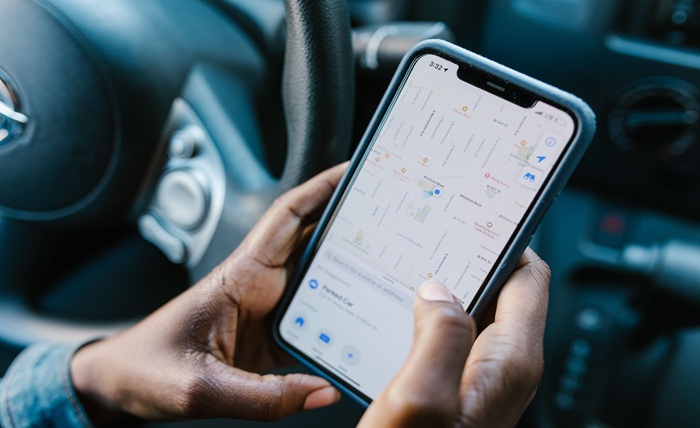
Some money-saving tools demand constant attention. A mileage tracking app is the opposite. It works silently in the background, capturing value from something you already do every day, and hands you the payoff at tax time. If you drive for work in any form, whether running a business, delivering, or freelancing, every business mile you drive is worth money in deductions. Most people leave that money uncollected simply because they never keep the record. A dependable Mileage Tracking App fixes that automatically, and this guide shows how it saves you money without you ever thinking about it.
The Money You Are Driving Past
The IRS lets you deduct a set amount for every business mile. That rate is high right now, which makes the deduction genuinely worth chasing.
| Year | Business rate |
|---|---|
| 2025 | 70¢/mile |
| 2026 (Jan–Jun) | 72.5¢/mile |
| 2026 (Jul–Dec) | 76¢/mile |
The IRS raised the 2026 rate from 72.5 to 76 cents halfway through the year, responding to rising fuel prices. At 76 cents a mile, the trips you make for work add up quickly, and each one lowers your taxable income if you have the record to claim it.
What Those Miles Add Up To
Numbers make the point better than words. Here is what different levels of business driving are worth at the current rate.
| Business miles per year | Deduction at 76¢/mile |
|---|---|
| 3,000 | $2,280 |
| 6,000 | $4,560 |
| 10,000 | $7,600 |
| 15,000 | $11,400 |
Each of these deductions comes straight off your taxable income. For a typical driver, that translates into hundreds or thousands of dollars in real tax savings, captured entirely by an app running quietly in the background.
Why Manual Tracking Always Fails
Nearly everyone who tries to track mileage by hand abandons it within weeks. The reason is simple: it depends on remembering, and no busy person remembers every trip.
- You forget to log trips on hectic days.
- You lose the notebook or bury the note in your phone.
- You estimate by tax time because the record is incomplete.
- You undercount, skipping short trips that quietly add up.
The result is a log that shortchanges you and would not survive scrutiny. Manual tracking is not a failure of willpower; it is a failure of method.
How the App Does the Work
An app succeeds because it removes you from the loop. It captures your driving automatically and asks almost nothing of you.
- Automatic detection. The app senses when you drive and records the trip via GPS.
- Quick classification. You swipe each trip to mark it business or personal.
- Running total. The app tallies your deduction so you can watch it grow.
- Clean export. At tax time, you generate a report for your return or your accountant.
The only active step is the swipe, which can be done in a five-minute weekly batch. Everything else is automatic, which is exactly why the record actually gets kept and the savings actually get captured.
Staying Compliant Without Effort
A deduction only counts if the record meets IRS standards, and the app handles most of that. The IRS wants a log with the date, distance, locations, and purpose of each trip, made around the time it happened. The app captures the first three automatically and lets you add the purpose in a tap. The official requirements are on the IRS standard mileage rates page, worth reading once so you know what a defensible record looks like.
Because trips are timestamped, the app also applies the right rate to each period, handling the 2026 mid-year change on its own, a detail people frequently get wrong by hand.
Who Benefits
A mileage app pays off for anyone who drives to earn money.
- Small business owners running errands and meeting suppliers.
- Freelancers and consultants visiting clients and travelling between jobs.
- Delivery and rideshare drivers covering serious daily miles.
- Sales professionals working a territory.
- Side hustlers driving to customers, markets, or events.
If any of these fit, the miles you are already driving are worth money, and the app is how you keep it.
Getting Started Today
Setup takes minutes and pays off for as long as you use it.
- Install the app and enable automatic detection.
- Set a weekly reminder to classify your trips while they are fresh.
- Check your total each month to stay motivated.
- Export a report at tax time and hand it to your preparer.
That is the entire system. A few minutes a week, and the rest runs itself.
Manual vs. App: The Difference in One Table
It helps to see why an app wins so decisively over the old-fashioned approach.
| Factor | Notebook or spreadsheet | Mileage app |
|---|---|---|
| Effort per trip | You log it manually | Detected automatically |
| Reliability | Depends on memory | Captures everything |
| Short trips | Usually forgotten | Always recorded |
| Records at tax time | Often estimated | Complete and dated |
| Audit strength | Weak if reconstructed | Strong and contemporaneous |
| 2026 rate split | Easy to miscalculate | Applied automatically |
The pattern is clear. Manual methods break because they rely on perfect consistency, while the app succeeds because it does not need you to remember anything. That reliability is the whole reason it captures money that manual tracking loses.
A Quick Real-World Example
Picture a driver who covers 9,000 business miles a year and has never tracked them.
| Approach | Deduction at 76¢/mile | Tax saved (22% bracket) |
|---|---|---|
| No tracking | $0 | $0 |
| Full tracking | $6,840 | ~$1,505 |
By installing an app and spending a few minutes a week, that driver captures a $6,840 deduction worth roughly $1,500 in real savings, money that would otherwise have disappeared. The trips were already happening. The only thing that changed was keeping the record.
Standard Mileage vs. Actual Expenses
The app feeds the standard mileage method, but it is worth knowing your two options for deducting car costs.
- Standard mileage multiplies business miles by the IRS rate. Simple, and usually better for efficient cars driven a lot.
- Actual expenses deducts the business-use share of real costs like fuel, insurance, and repairs, but requires keeping every receipt.
- Both need the miles, because even the actual method depends on your business-use percentage from the log.
| Method | Recordkeeping | Best for |
|---|---|---|
| Standard mileage | Just track miles | Most everyday drivers |
| Actual expenses | Save every receipt | Costly or heavily used cars |
For most people the standard method is simpler and often the larger deduction, and an app makes it effortless. Whichever you choose, the mileage record is the foundation, which is one more reason to let an app keep it accurately all year.
The Bottom Line
A mileage tracking app is one of those rare tools that saves you real money with almost no effort. It captures deductions you would otherwise lose, keeps records that hold up under scrutiny, and manages fiddly details like the 2026 rate change automatically. For most drivers, that means hundreds or thousands of dollars saved at tax time.
The math never changes: the miles you drive for work are worth money, and the only thing between you and that money is a record. Let an app keep it for you, quietly, all year long, and stop leaving your own deductions behind.