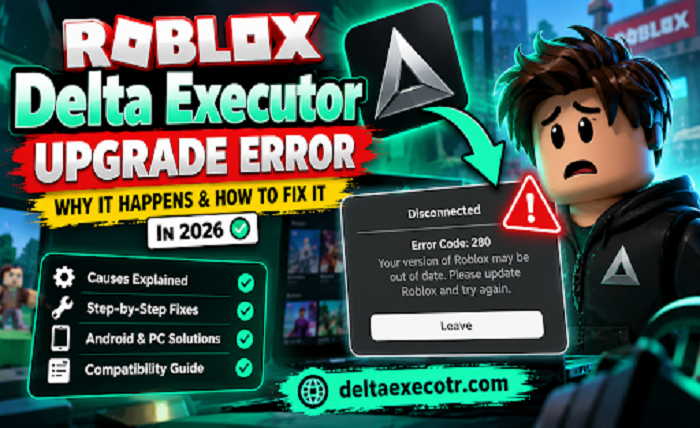
If Delta Executor suddenly tells me that Roblox needs to upgrade, I do not immediately assume that I need to download another APK. The message can appear when the Roblox version on my device has a problem, but it can also occur when the version of a third-party tool is no longer compatible with the current Roblox client.
Roblox officially identifies Error Code 280 as a version-related problem and provides troubleshooting steps for Windows, Mac, iOS, Android, Amazon Fire OS, and ChromeOS.
When Roblox receives a major client update, users searching for Delta Roblox may suddenly find that their previously working setup no longer launches or connects correctly. The important part is finding out which side of the problem needs attention before I start changing files or reinstalling applications.
What Does the Roblox Upgrade Error Mean?
The message may appear as “Your version of Roblox may be out of date” or “Please update Roblox and try again.” Roblox associates this message with Error Code 280. According to Roblox Support, the error occurs when there is an issue with the version of Roblox running on the device.
When I encounter the same message while using Delta Executor, I also consider compatibility. A Roblox client update can change the environment that a third-party tool depends on, meaning a previously working Delta version may no longer work as expected.
That does not automatically mean Roblox itself is outdated.
Why Does Delta Executor Say Roblox Needs to Upgrade?
There are several possibilities I check before deciding what to do.
Roblox Has Been Updated
Roblox can release client changes that affect how third-party software interacts with it. If the error appears immediately after Roblox changes, I first check whether a normal Roblox update is available.
My Roblox Installation Is Outdated
This is the straightforward case. If the official Roblox application has an available update, installing it is the first thing I would try.
The Roblox Installation Has a Problem
Sometimes the application can have corrupted or outdated local data. Roblox’s own Error Code 280 guidance recommends reinstalling the application in applicable cases and provides additional troubleshooting for different operating systems.
Delta Is No Longer Compatible
If Roblox is already fully updated but Delta suddenly stopped working after that update, the issue may instead be compatibility between the two versions.
This distinction matters because repeatedly reinstalling the same Delta build will not necessarily solve a compatibility problem.
Users looking for Delta Hacks Roblox should also understand that script compatibility can change after a Roblox client update, so an executor that worked previously may need an updated version or compatible scripts.
How I Check the Roblox Upgrade Error
I work through the problem in order rather than changing everything at once.
1. Check Roblox for an Official Update
First, I open the official app store or Roblox installation on my device and check whether an update is available.
On Android, that means checking Roblox through Google Play. On iPhone or iPad, I check the App Store.
If an update is available, I install it and restart Roblox.
Roblox itself recommends updating or reinstalling the application when dealing with Error Code 280.
2. Restart the Device
This sounds basic, but I do it before moving to more complicated troubleshooting.
A restart gives Roblox and the operating system a clean session and can clear temporary problems that appeared after an application update.
Roblox specifically includes rebooting as part of its Android troubleshooting recommendations for Error Code 280.
3. Check the Delta Version
If Roblox is already updated, I then check the Delta version I have installed.
This is where I avoid one of the biggest mistakes: assuming that the newest-looking download page must contain the newest compatible build.
I compare the installed version with current version information from a source I trust.
If the Roblox client has changed but the Delta build has not been updated for that environment, the problem may simply be a compatibility gap.
4. Check Whether the Problem Started After a Roblox Update
I ask myself one simple question:
Was Delta working before Roblox updated?
If the answer is yes, the timing gives me useful information.
A recent Roblox update can explain why something that worked yesterday suddenly stops working today. Current Delta troubleshooting pages also identify Roblox client changes and version mismatches as common causes of the upgrade message.
This is why I would not immediately delete everything and install another copy.
5. Check My Internet Connection and Device Time
If the normal update steps do not help, I check the basics that can interfere with application communication.
I make sure my connection is stable and that the device’s date and time are correct.
Roblox includes both network troubleshooting and correcting the device’s date and time among its Error Code 280 recommendations for supported platforms.
These checks are quick and do not require me to replace the application.
What If Roblox Is Already Updated?
This is probably the most frustrating version of the problem.
I have already updated Roblox, but Delta still says that Roblox needs an upgrade.
At that point, I would stop treating the message literally.
The message identifies a version-related problem, but it does not necessarily mean that another Roblox update is waiting in the app store. Roblox’s documentation describes Error 280 as an issue with the Roblox version running on the device, while third-party compatibility can add another layer to the situation.
My next checks would be:
- Confirm that Roblox is genuinely updated.
- Restart the device.
- Check the installed Delta version.
- Check whether the current Delta build supports the current Roblox environment.
- Check whether other users are reporting the same issue.
- Avoid replacing the application with random files simply because they claim to be “fixed.”
If the problem began immediately after a Roblox update and the same Delta build was previously working, compatibility becomes an important possibility.
What Is Roblox Error Code 280?
Error Code 280 is Roblox’s specific error for the message that the Roblox version may be out of date.
Roblox’s official documentation states that the error can occur on PC, Mac, and mobile devices and provides platform-specific troubleshooting.
When I see Error 280 alongside Delta-related problems, I therefore treat it as a version/compatibility troubleshooting issue, rather than automatically assuming that my downloaded file is infected or that my account has a problem.
That distinction can save a lot of unnecessary reinstalling.
Should I Download Another Delta APK?
I would be careful here.
When an application suddenly stops working, it is tempting to search for:
“Delta fixed version”
or
“Delta latest APK”
and install the first file I find.
I would not do that blindly.
A file claiming to be an updated version does not prove that it is genuine, current, or compatible with my device.
Before installing another file, I would check the source, version information, file details, and any available security information.
If a website asks for my Roblox password, cookies, authentication codes, or other account credentials as part of a supposed download or verification process, I would stop.
Roblox advises users to protect their account credentials and warns that exploiting can expose users to malware and account-security risks.
What If Delta Still Does Not Work?
If I have confirmed that:
- Roblox is updated
- my device is working normally
- my connection is stable
- the installed version is correct
- and the problem started after a Roblox update
then I would investigate compatibility status rather than repeatedly reinstalling the same software.
This is where a broader troubleshooting resource becomes useful because “Delta is not working” can describe several different problems, including upgrade messages, loading issues, installation problems, crashes, or other compatibility failures.
For a more detailed breakdown of those different problems, I would use a Delta Executor error guide rather than applying the same fix to every error.
Android Users: A Few Extra Checks
Android users can perform a few additional checks if the basic update process does not solve the problem.
I would first force-close Roblox and restart the device.
If Roblox continues producing Error 280, Roblox’s official troubleshooting recommends reinstalling the application from the appropriate store and checking the device’s date/time and network connection.
I would also avoid installing several different APKs while troubleshooting.
Every additional APK creates another variable, making it harder to determine whether the original problem was Roblox, Delta compatibility, corrupted application data, or the new file itself.
When Should I Wait for a Compatibility Update?
Sometimes there is nothing meaningful I can fix locally.
If Roblox has just changed its client and the installed Delta build has not yet been updated for the new environment, repeatedly reinstalling the same version will not necessarily change the compatibility situation.
In that case, I check for reliable compatibility information and wait for an appropriate update rather than downloading an unknown “patched” version from a random website.
This is particularly important after major Roblox changes because the timing of a failure can provide a useful clue.
Quick Checklist
When I see “Roblox needs to upgrade” while using Delta Executor, I work through this checklist:
- Check Roblox for an official update.
2. Restart Roblox.
3. Restart the device.
4. Confirm my internet connection is working normally.
5. Check the device’s date and time.
6. Confirm the installed Delta version.
7. Check whether the problem started after a Roblox update.
8. Check current compatibility information.
9. Avoid random “fixed” APKs.
10. Use a detailed troubleshooting guide if the problem continues.
Final Thoughts
When I see the Roblox upgrade message in Delta Executor, I don’t immediately assume that I need a new download.
I first determine whether Roblox itself needs attention, the local installation has a problem, or the current Delta build is no longer compatible with the Roblox client.
Roblox’s official Error Code 280 documentation confirms that version problems can require updating, restarting, reinstalling, checking the network, or correcting device settings depending on the platform.
If the problem appeared immediately after a Roblox update, I pay particular attention to compatibility before making major changes.
And if I need more troubleshooting help, I use a dedicated Delta Executor error guide at https://deltaexecotr.com/errors-guide/ to identify the specific problem rather than repeatedly downloading different files.